The Definitive Guide to Microsoft Great Plains’ End-of-Life

Organizations have relied on Microsoft Great Plains’ finance and procurement functionalities for nearly two decades. But Microsoft announced that it’s sunsetting the solution, leaving users to figure out their next steps ahead of the Great Plains end-of-life.
If your nonprofit uses Great Plains, this is not a moment for panic! In fact, it’s an opportunity for a strategic upgrade. The smartest move you can make is to start planning your migration to a modern, cloud-based platform built for your unique mission.
Before you can make this move, there are a few things you’ll need to know, like how much time you have and what your options are. We’ll give you the rundown by covering:
- How to Respond to the Great Plains End-of-Life
- The History of Microsoft Great Plains
- FAQ About The Microsoft Great Plains End-of-Life
Ready to migrate from Great Plains
The History of Microsoft Great Plains
In the early 1980s, Great Plains began as accounting software offering a general ledger, reporting tools, and other basic functionality. Eventually, the software evolved into a full enterprise resource planning (ERP) system, encompassing additional features like project management.
Microsoft acquired the solution in 2000 and rebranded it as Microsoft Great Plains (which was later renamed for a second time to Dynamics GP). Over the next decade, Microsoft continued developing the platform’s functionality to serve small to mid-sized businesses.
In 2019, Microsoft introduced a Modern Lifecycle Policy, which guarantees ongoing support for products and services as long as customers stay current with the product’s requirements. Yearly version releases of Great Plains also halted at this time, sparking end-of-life rumors that were further fueled in 2023, when Microsoft announced plans to end new license sales.
FAQ About The Microsoft Great Plains End-of-Life
Now that Microsoft has made it official, you’re probably anxious to learn what this means for your organization. Let’s answer a few common questions people are asking about the implications of the Microsoft Great Plains end-of-life announcement.
Why Is Microsoft Sunsetting Great Plains?
The architecture underpinning Great Plains is now considered outdated. As the demand for modern, cloud-native solutions has soared, Great Plains’ older structure has caused it to lag behind competitors. This evolution—and Microsoft’s strategic focus on its newer, cloud-first Dynamics 365 products—is the primary reason for the end-of-life announcement.
When Is Great Plains Being Phased Out?
Great Plains won’t stop working tomorrow. Its end-of-life is occurring in prolonged phases over the course of a few years.
However, considering the time and budget needed to facilitate a major system transition like an ERP migration, nonprofits must understand the Great Plains end-of-life timeline to plan properly. Click through the timeline below to learn more about what you can expect between now and the end of security for Great Plains in 2031.
Great Plains End-of-Life Timeline
Let’s zero in on a few key dates within this timeline:
- April 1, 2026: The subscription for new customers ends. Microsoft is no longer selling new customer licenses, so the ecosystem is shifting to migration projects. The result? Partner time and implementation spots will become limited and booked up fast.
- January 11, 2028: This marks the final update for government tax rules, payroll tables, and reporting requirements in Great Plains. All future regulatory and compliance changes in 2029 and beyond will require manual workarounds.
- December 31, 2029: No more product enhancements, service packs, technical support, or critical regulatory updates (including tax and year-end) will be offered for GP 18.x. The industry will see migration demand spike in 2029 as organizations rush to move before updates are discontinued.
- April 30, 2031: This is the hard stop for critical security patches. Running Great Plains after this date heightens your security and compliance risk, increasing insurance scrutiny and vulnerability to breaches.
2031 may feel far away, but the truth is that these dates are approaching—and fast! ERP migration can take 12 to 18 months in extreme cases, and migration experts will be in short supply as other organizations rush to transition their systems.
Again, this doesn’t mean all hope is lost. Your team still has time, but you should seriously consider how the Great Plains end-of-life announcement impacts your software and what your next steps should be.
What Does The Great Plains End-of-Life Mean for Your Organization?
With a general understanding of the timeframe for Great Plains’ end-of-life, nonprofits are deciding what to do about their ERP needs. We’ll cover your options shortly, but it’s helpful to first think through the implications of Microsoft’s announcement:
- Compliance and reporting risks: After December 31, 2029, your system will not receive crucial regulatory or tax updates. Managing fund accounting, tax filings, and complex grant reporting will require extensive manual workarounds, increasing the chance of non-compliance penalties.
- Technical debt: As GP ages, it will become increasingly incompatible with new hardware, operating systems, and third-party tools. Furthermore, finding qualified, experienced consultants to maintain a sunsetting product is becoming difficult and expensive. You risk being forced to run the system “as-is,” unable to grow or adapt.
- Escalating security exposure: The most severe risk hits on April 30, 2031, when all extended support ends, and Microsoft will no longer release security updates. Running GP past this date or before it without current support heightens your exposure to security vulnerabilities and data breaches. Your organization’s sensitive financial data is at increasing risk once security patches cease.
Rather than viewing these risks as doom and gloom for your organization, consider them an opportunity for growth. Great Plains’ end-of-life might be just the catalyst your organization needs to leap forward to a modern, cloud-based ERP purpose-built for complex nonprofit needs. The bottom line is that you have options—it’s all about choosing the right solution for your organization.
How to Respond to the Great Plains End-of-Life
There are three main paths your nonprofit can take: staying with GP temporarily, migrating to Business Central, or choosing a specialized ERP.
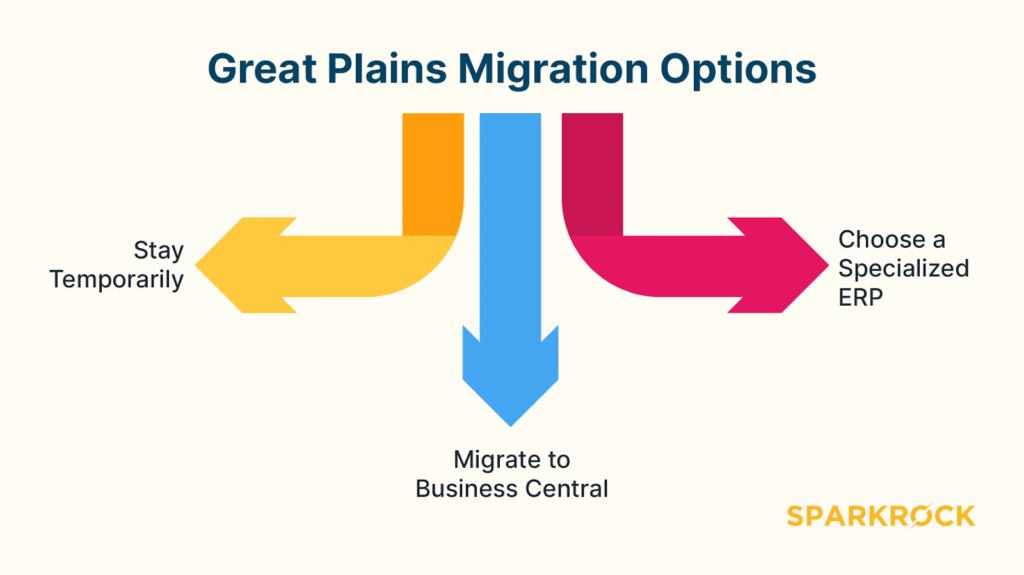
Option 1: Stay Temporarily
If your nonprofit really wants to, you can “make do” by continuing to use your existing system—for now. According to the Dynamics GP 2024 Customer Survey, most users don’t have any plans to migrate their systems within the next three years (57%) or five years (46%).
The reality is that this creates a massive bottleneck: if more than half of all current Great Plains users wait to begin their transition, the implementation rush will be far worse than you think. Estimates suggest that 30,000 organizations globally use Great Plains, meaning users who wait to migrate will be competing with roughly 15,000 other organizations to get the migration help they need.
In other words, the longer you put off the migration decision and plan, the more limited migration partners’ availability will be when you’re finally ready to change systems. Not to mention, this approach is extremely risky, as costs and operational risks will grow over time.
Option 2: Migrate to Business Central
Dynamics 365 Business Central is the modern, cloud-based platform that Microsoft is actively promoting, making it a natural next step for many Great Plains users. It provides a secure cloud environment and the stability of the Microsoft ecosystem, making it the best choice for for-profit businesses looking to migrate from Great Plains.
Like all general-purpose ERPs, Business Central is designed primarily for small to mid-sized businesses rather than nonprofits. When it comes to the complex financial and operational realities of a mission-driven organization, you’ll likely need industry-specific features.
For example, extensive customization or complicated add-ons may be required to handle fund accounting, grant management, and other nonprofit-specific workflows.
Option 3: Choose a Specialized ERP
Think about Microsoft’s Great Plains end-of-life announcement as an opportunity to upgrade the way you operate your nonprofit. You’ve always loved Microsoft’s scale and reliability, but perhaps you’ve also wanted nonprofit-specific functionality or mission-driven expertise.
Migrating to a nonprofit-specific ERP means choosing a secure, modern platform that was purpose-built for the way you work. Watch the following video to learn more about what this looks like:
Sparkrock Impact ERP is built on the secure Microsoft Dynamics 365 Business Central platform, providing the functionality and familiarity you already trust. We’ve expanded its capabilities to offer the nonprofit functionality that generic ERPs lack, including:
- Finances and procurement: Nonprofit finances differ from those in other industries. Our ERP offers specialized functionality—like project and grant accounting, requisition management, and expense claims—to support your organization’s unique needs.
- HR management: Position, compensation, and benefits management functionality are exclusive to Sparkrock. We support nonprofits with employee training, absence and leave management, and everything in between.
- Scheduling and time entry: Our ERP handles time entry, shift trading, employee scheduling, and other features to make nonprofit employee scheduling a breeze.
Most importantly, when you work with Sparkrock, you get more than just tech—you’re also gaining a partner who gets it. Sparkrock’s team consists of former nonprofit CFOs, Directors of Finance, and even founders who have firsthand experience in nonprofit operations. We don’t just offer an ERP; we’ve walked a mile in your shoes, and we’re prepared to work with you on developing an effective financial strategy.
Nonprofits leveraging Sparkrock Impact ERP have already seen dramatic returns on their investment. Here’s what their success looks like:
- Action Group eliminated 600 hand-written timesheets that they had to manually process every two weeks. They were able to reallocate 1.5 FTE to more strategic, high-impact work.
- The District School Board of Niagara reclaimed office space that used to be taken up by 50 filing cabinets (necessary for all of their paper-based processes).
- The District of Nipissing Social Services Administration Board was able to immediately cut accounting costs by $20,000, and now estimates that they save $50,000 per year thanks to Sparkrock.
- The Canadian Centre for Ethics in Sports reported an immediate savings of $25,000 in accounting costs
The Main Takeaway
The retirement of Microsoft Great Plains is a definitive deadline that organizations can’t afford to ignore. While there are real risks associated with the Great Plains’ end-of-life, there’s no need to let anxiety drive your next steps. By partnering with a migration expert and learning what to prioritize in an ERP system, you can migrate with confidence!
Sparkrock is the experienced guide you need. We are ERP specialists built on nonprofit field expertise, ready to help you leverage this inevitable change as a chance to modernize your operations and better serve your community.